

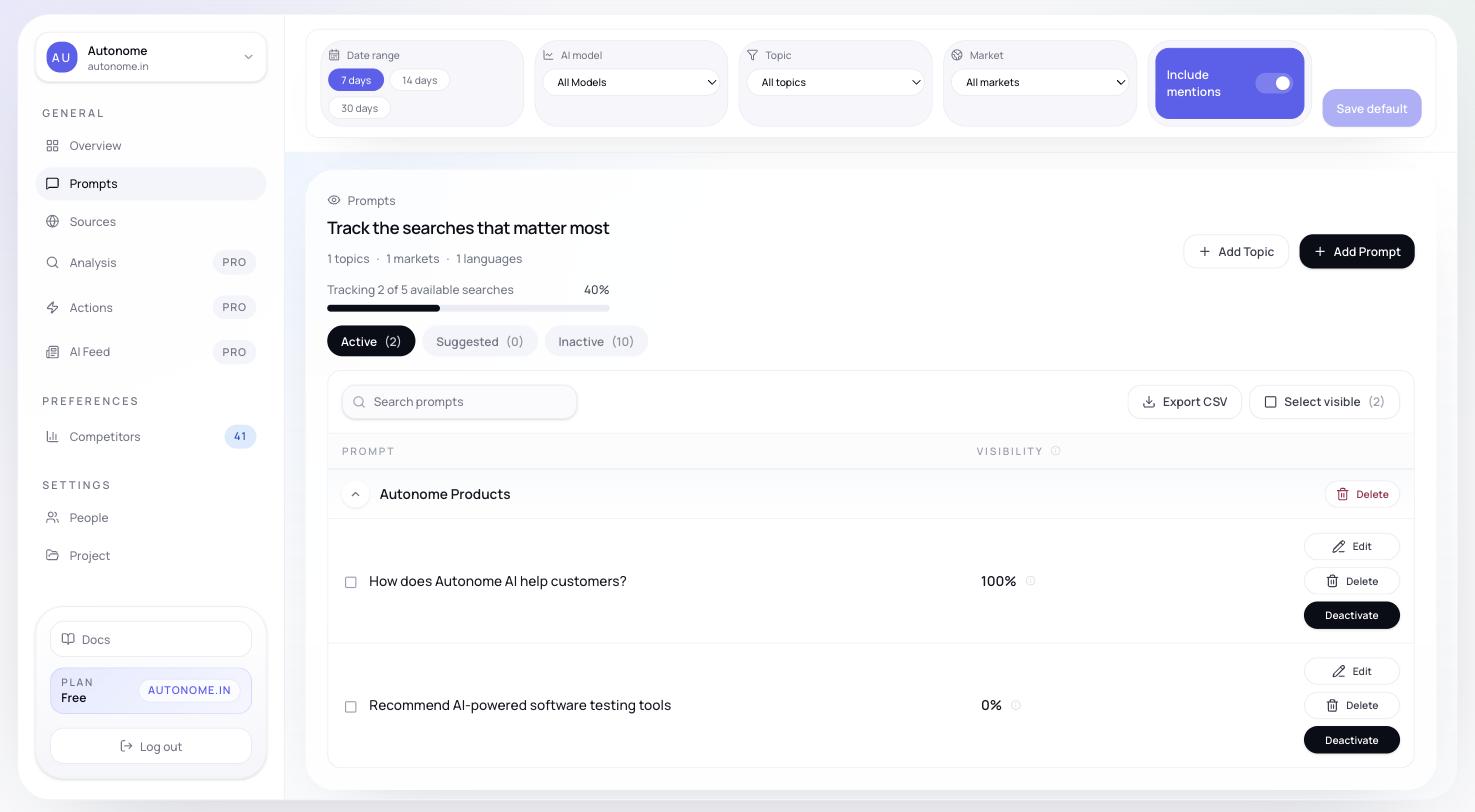
Prompt Workspace showing Active, Suggested, and Inactive tabs
Why it matters
Only active prompts get tracked and counted in your metrics. The Workspace is where you decide which buyer questions Citd monitors, how they are organized, and when to retire or activate prompts as your catalog or strategy changes.States and tabs
Prompts are organized across three tabs:Only Active prompts affect your metrics. Review the Suggested tab regularly — new prompt suggestions appear there as Citd discovers new patterns in tracked responses.
What you can do here
From the Prompt Workspace you can:- review and switch between Active, Suggested, and Inactive prompts
- add a new topic to organize a new product area
- add a custom prompt to any topic
- edit prompt text inline
- bulk change prompt status (activate, deactivate, or delete a batch at once)
- export visible prompts to CSV for review outside Citd
Topics organize the workspace
Prompts are grouped by topic — the product areas, use cases, or competitive themes you defined during onboarding. The left sidebar of the Workspace lists your topics; clicking one filters the prompt list to that category. Organizing by topic makes it easier to answer:- Do we have enough prompts for this category?
- Are we over-weighting one topic?
- Which topic has stale or low-quality prompts?
Bulk operations
The Workspace is designed for ongoing maintenance, not just onboarding. Common bulk actions include:- activating a batch of suggested prompts you are ready to track
- deactivating a noisy prompt set that is diluting your metrics
- restoring previously inactive prompts after a product relaunch
- deleting prompts you know you will never use
How to build a good prompt set
- Cover all your important topics, not just your bestselling product family.
- Mix high-intent purchase prompts with comparison and research prompts. See Shopping modes for how different prompt types resolve in AI assistants.
- Keep prompts distinct enough to represent different buyer questions. Duplicates add noise without adding insight.
- Deactivate prompts that are redundant, outdated, or off-category.
Free plan prompt limit
On the Free plan, up to 5 prompts can be active at one time. You set your initial 5 during onboarding. To track more, upgrade your plan — see Plans. Prompts beyond the active limit stay in the Suggested or Inactive tabs and can be activated when you upgrade.Next steps
Prompts concept
Understand what a prompt is, how Citd generates them, and how to write good ones.
Topics concept
Learn how topics organize your workspace and drive prompt generation.
Overview
See how active prompts flow into your main visibility metrics.
Glossary
Definitions for Visibility, Share of Voice, Rank, and other key terms.