

Actions are available on paid plans.
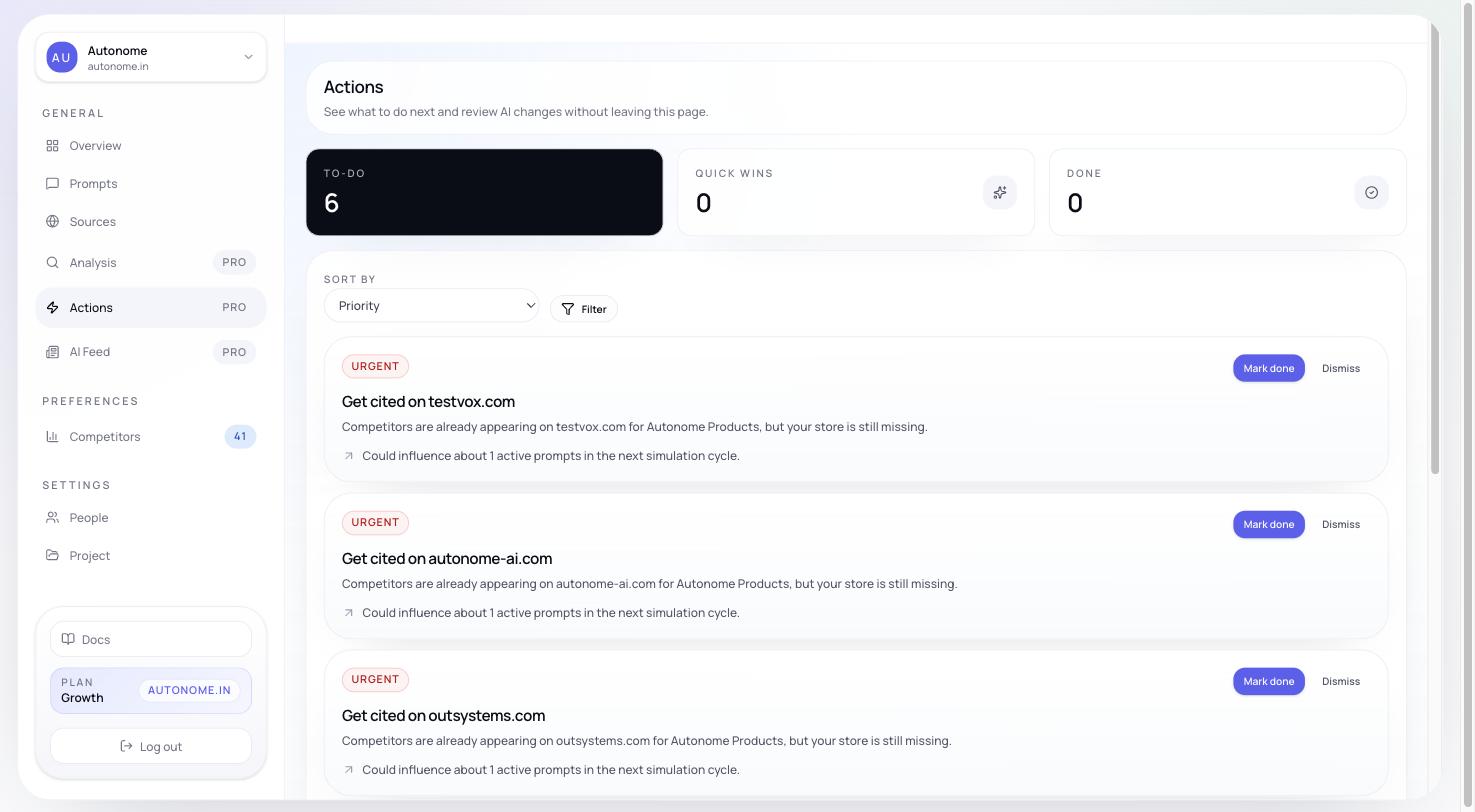
Actions queue showing severity-ranked recommendations with state badges
What you see first
At the top of the page, Actions summarizes the current queue:- Active
- Quick wins
- Completed
- Verified
Reading an action card
Each action includes:Action categories
Filters and sorting
You can filter the queue by:- State
- Severity
- Type
- Difficulty
- Execution
Quick wins and backlog
Actions that are both high-leverage and relatively easy are called Quick wins. They appear separately from the broader backlog so teams can move fast on the highest-return work. Everything else stays in the main backlog for ongoing prioritization.Severity levels
How to use Actions
Start with Quick wins and High severity. These usually represent the best tradeoff between impact and effort. Then open the affected products. Catalog-wide readiness actions include a View affected products shortcut so you can inspect the exact product rows, issue evidence, and Shopify or storefront links before making changes on the Products page. For catalog and content actions, use Enrichment. The Enrichment workflow can generate AI-suggested rewrites, structured tags, SEO fields, metafields, and alt text for the affected products — so you review proposals rather than writing every fix by hand. Then work by owner. Catalog and schema fixes often belong to product or engineering, while content and outreach work may belong to marketing or SEO. Use state transitions actively. Move actions through open, in progress, completed, verified, or dismissed so the queue stays trustworthy.Next steps
Products
Inspect the specific catalog rows tied to each action.
Enrichment
Generate AI proposals for catalog, content, and metadata improvements.
Analysis
Understand the root cause behind your Actions queue before prioritizing.
Overview
Monitor metric movement after you implement fixes.