

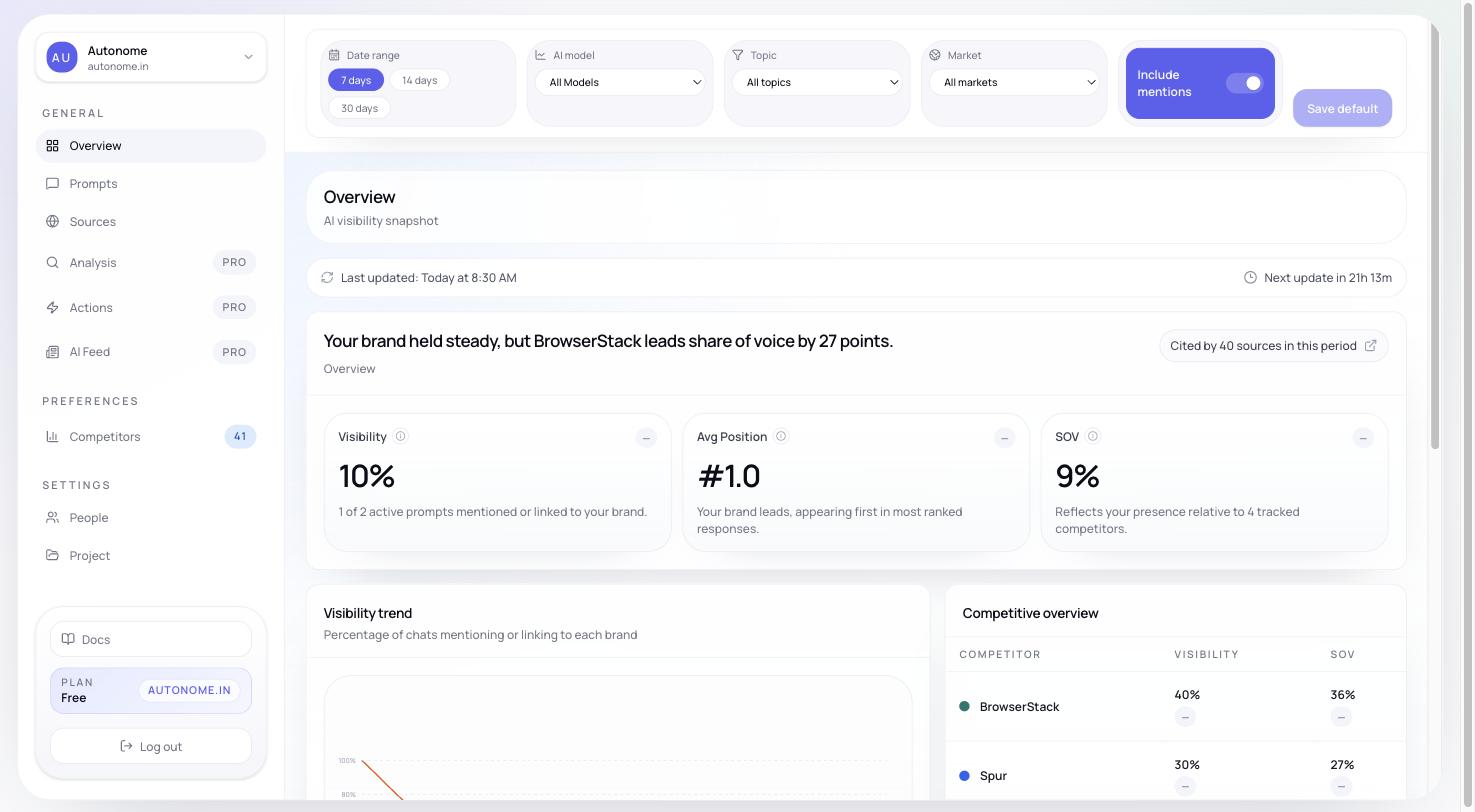
Overview page — filter bar, metric summary cards, and trend chart
Why it matters
Overview is designed to answer one question fast: “Did something change, and do I know why?” It saves you from opening five separate pages each morning by showing the most important signals together.Start with the filters
The filter bar at the top controls every section on the page at once.
Just above the filters you will also see a freshness bar — it tells you when data was last updated and when the next refresh is expected. Always check this first; stale data can make a dip look worse than it is.
Performance summary
The top metric cards show the current state of your selected slice at a glance. Each card also includes a trend indicator so you can see the direction of movement, not just the current number.If no runs have produced data yet, Overview shows setup banners and onboarding guidance instead of empty charts. Complete Onboarding to start seeing real data.
Diagnostic preview
On paid plans, a second row of scorecards appears below the main metrics:- Authority — how well-cited your brand’s web presence is
- Relevance — how well your content and catalog match tracked topics
- Readiness — how complete and structured your product data is
- Competitive gap — how your scores compare to the leading competitor
Competitive and source context
Below the summary cards, Overview becomes more operational:- Trend view — shows whether performance is moving in the right direction over the selected date range
- Competitive table — shows how your store ranks against detected brands on the same prompt set
- Source intelligence — highlights which domains are being cited and what kind of sources are shaping responses
Recent responses
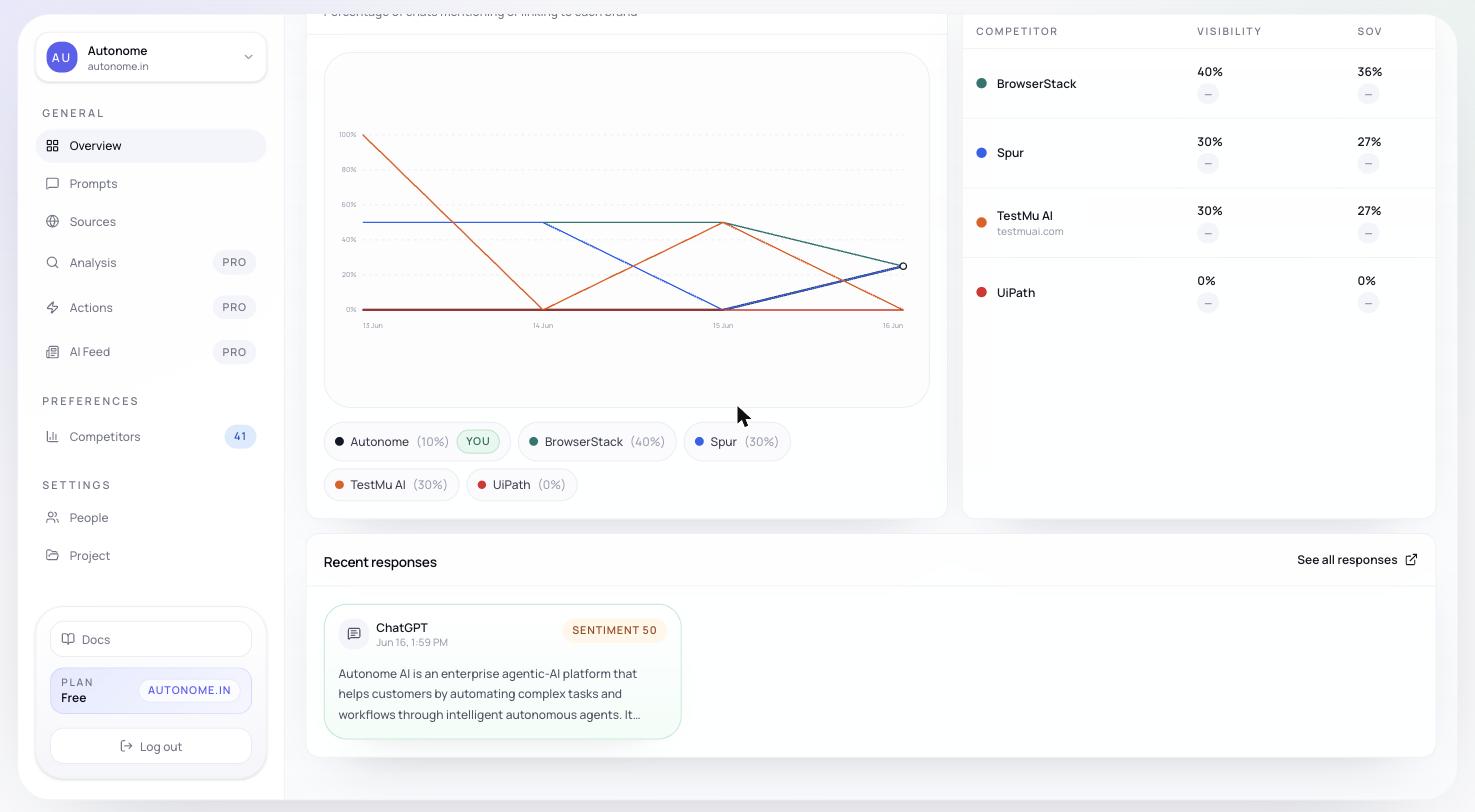
Recent-responses feed at the bottom of Overview
- check whether your brand was mentioned at all
- inspect tone and positioning in natural language
- compare responses across markets or topics
- spot source and citation patterns before opening Sources or Analysis
Recommended workflow
1
Check freshness
Confirm data is up to date with the freshness bar before drawing any conclusions.
2
Read the metric cards
Identify which metric moved — Visibility, Share of Voice, Rank, or Sentiment — and by how much.
3
Check the diagnostic row
On paid plans, the Authority / Relevance / Readiness / Competitive gap row tells you the likely root cause without any extra clicks.
4
Scan the competitive table and source intelligence
Confirm whether a competitor or a new source drove the change.
5
Read a few recent responses
Ground the numbers in real model output before deciding on next steps.
Next steps
Sources
See which domains and URLs are being cited — and which are missing from your footprint.
Analysis
Dig into Authority, Relevance, Readiness, and Competitive gap scores.
Actions
Turn diagnostic findings into concrete fixes for your catalog, content, and feeds.