

Analysis features are available on paid plans.
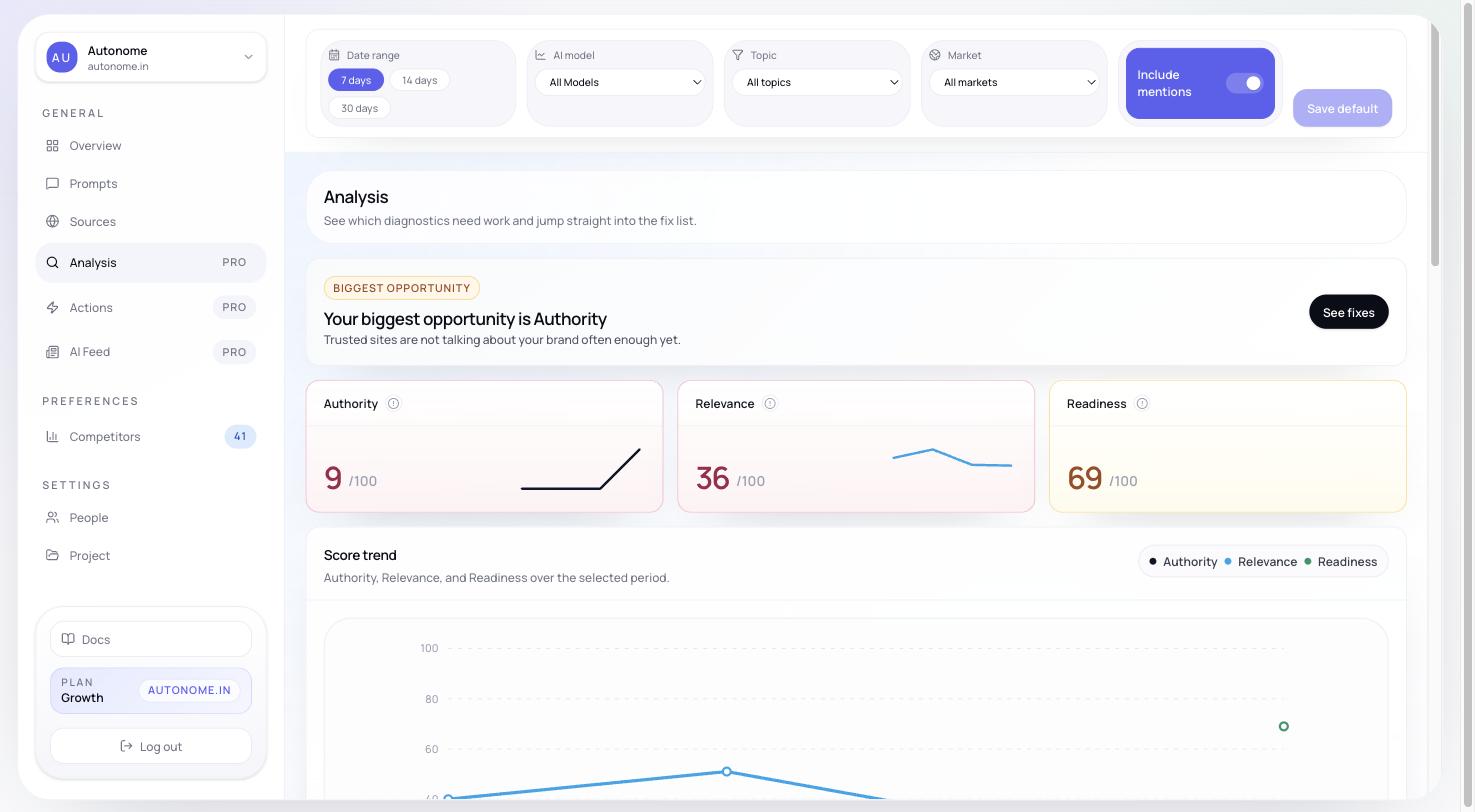
Analysis page showing Authority, Relevance, Readiness, and Competitive gap views
What Analysis contains
Analysis is built around four connected views:- Authority
- Relevance
- Readiness
- Competitive gap
Authority
What it measures: How well your brand is cited and supported by external sources that influence tracked responses. The Authority section includes summary metrics plus a citation gap table showing which source domains cite competitors but not you. For more detail on which specific sources are helping or hurting you, see Sources. Low authority indicators:- Your brand appears in AI results mainly as a self-reference (your own website)
- Competitors dominate editorial “best of” lists in your category
- Your brand is rarely mentioned in comparison articles from trusted domains
Relevance
What it measures: How closely your products match the attributes and intent being asked for in each prompt. This section aggregates repeated attribute gaps across responses so you can see which missing or weak signals keep hurting you. Low relevance indicators:- Your brand appears for broad queries but not specific ones (e.g., visible for “running shoes” but not “trail running shoes for overpronation”)
- Product titles and descriptions do not match the language buyers use in their queries
- Missing attributes like use case, terrain, feature specs, and size fit
Readiness
What it measures: How complete and structured your product data is for AI consumption. When Shopify is connected, Readiness uses richer catalog data. Without it, the section can still surface limited or proxy-style readiness signals where available. Low readiness indicators:- Missing product metafields (material, fit, terrain, use case)
- Short or generic product descriptions
- No structured data (JSON-LD schema) on product pages
- Collections that do not reflect how buyers search
Competitive gap
What it measures: Where specific competitors outperform you in the same prompts. This view shows which prompts you share with a competitor, how your position compares, and which attributes the competitor uses that you do not. It is the fastest way to see what a winning brand is doing differently. How to improve: Use the competitive gap findings to prioritize your Actions queue — focus on the prompts and attributes where you are closest to parity, since those are usually the quickest wins.When to use Analysis
Open Analysis when Overview tells you something is wrong but does not explain why. Typical workflow:- Spot a drop on Overview.
- Open Analysis to identify the dominant failure mode.
- Open Sources if the issue looks citation-driven.
- Open Actions once you know what to fix.
- Open Products or Enrichment to inspect and fix the exact catalog rows.
Next steps
Actions
Turn your analysis findings into a prioritized fix queue.
Sources
Drill into the citation gaps driving your Authority score.
Products
Inspect the specific products behind your Readiness score.
Enrichment
Use AI to improve product titles, descriptions, tags, and metafields.